
Opik
LLMアプリのトレース・評価・本番監視を担うプラットフォーム。バックエンドまでOSSとして公開されている
Opikとは
関数にデコレータを付けるか、クライアントを包むだけでトレースの記録が始まります。同じデータがそのまま実験機能に流れ、幻覚・回答の関連性・文脈の再現率といった指標で、手作業ではなく自動的に応答を採点します。30を超える連携が主要なフレームワークとプロバイダを覆い、ホスト型サービスとしてだけでなく、ローカルやKubernetes上でも全体を動かせます。難点は機能ではなく重複です。本カタログに既に載る2つのプラットフォームと真正面から競合するため、選択の分かれ目は不足している機能ではなく、連携先と運用形態になります。
Opikで何ができますか?
- デコレータ1つで記録を始める — 関数に記録用のデコレータを付けるか、プロバイダのクライアントを包むだけで、アプリの構造を変えずに呼び出しの木構造を取得できます。PythonとTypeScriptの両SDKで同様です。
- 全応答の目視確認をやめる — 実験機能がデータセットをアプリに通し、幻覚・回答の関連性・文脈の再現率といった指標で出力を自動採点します。レビューが半日仕事ではなくレポートになります。
- 使っているフレームワークに繋ぐ — 30を超える連携がLangChain、LlamaIndex、CrewAIや、Anthropic・AWS Bedrock・Google Geminiといったプロバイダを覆います。計装はコードではなく設定で済むことがほとんどです。
- 全体を自分で動かす — バックエンドもOSSで、ローカル構成とKubernetes構成が文書化されています。トレースやデータセットを自社インフラの外に出さずに活用できます。
- プロンプトと設定をバージョン管理する — プロンプトとエージェントの設定が、それが生んだトレースと並べて記録されます。性能の劣化を、原因となった変更まで辿れるのはこの対応付けによります。
Opikを選ぶ前に
- 本カタログ収録のLangfuseやPhoenixとほぼ全面的に機能が重なります。既にどちらかを運用しているなら、2つ目を入れる理由は不足機能ではなく連携先と運用形態の話になります。
- 自己ホストはライブラリの読み込みではなくバックエンド群の運用を意味します。試用でもコンテナ構成の配備になり、本番では面倒を見るクラスタが増えます。
スター推移
8月21日〜8月28日 · +135
よくある質問
Opikは商用利用できますか?
OpikはApache-2.0ライセンスで公開されています。OSI承認のオープンソースライセンスで、商用利用が認められています。
Opikはどの形で使えますか?
Opikはセルフホスト・マネージドクラウド・ローカル実行の形で利用できます。
ドキュメント
comet-ml/opik のREADMEより転載(Apache-2.0)。 原文を読む ↗

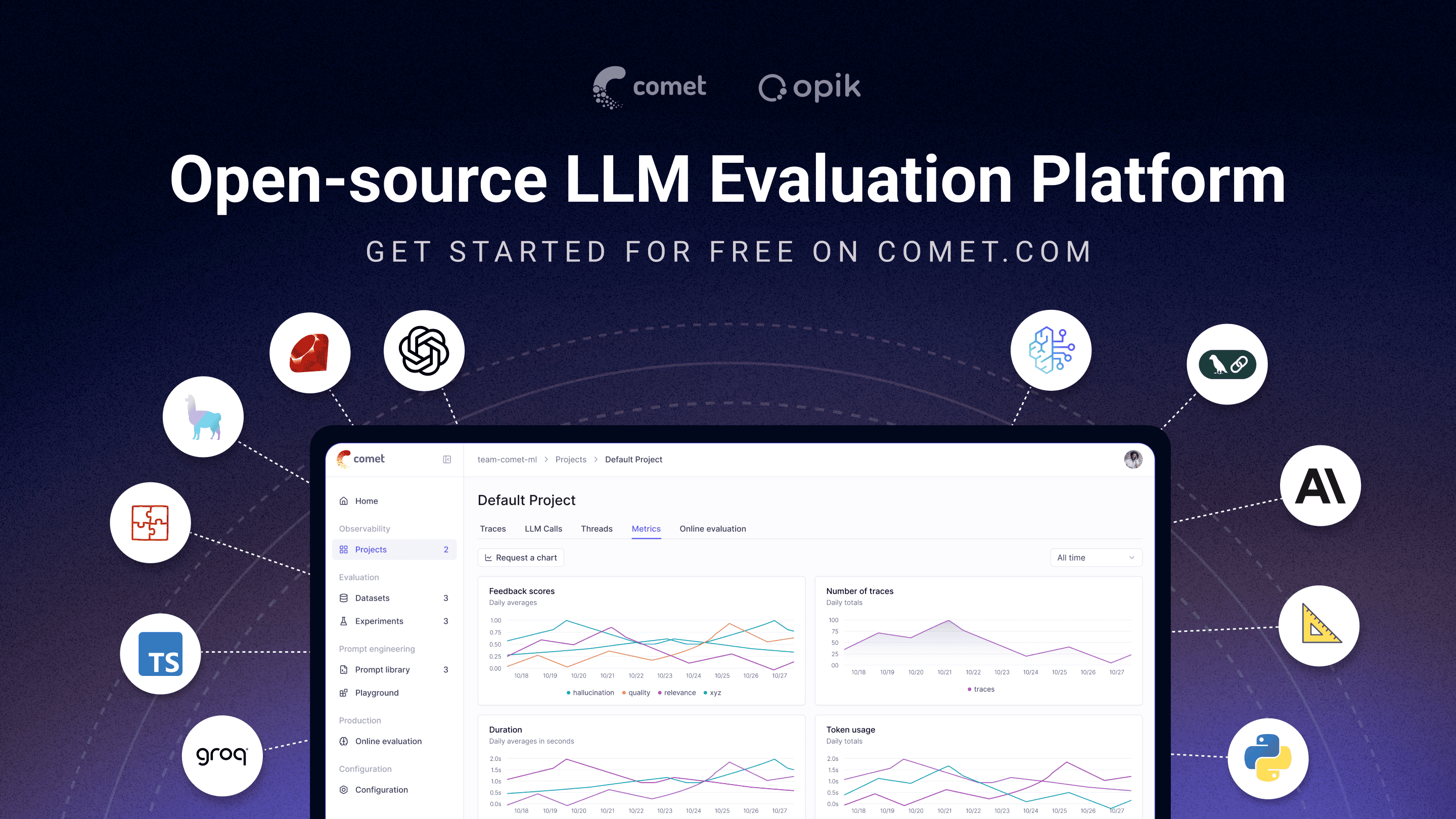
🚀 What is Opik?
Opik covers the full LLM application lifecycle, from the first trace in development to production monitoring, for teams building LLM apps and AI agents. Key offerings include:
- AI Agent Tracing & Observability: Deep tracing of LLM calls, conversation logging, and agent activity, with full trace trees for multi-step agents and tool calls.
- LLM Evaluation: Datasets, experiments, and LLM-as-a-judge metrics for hallucination detection, moderation, and RAG assessment.
- Prompt & Agent Optimization: The Opik Agent Optimizer SDK to improve prompts and agents.
- Production-Ready Monitoring: Scalable dashboards and online evaluation rules.
- Opik Guardrails: Features to help you implement safe and responsible AI practices.
- CI/CD Evaluation: A PyTest integration to test LLM pipelines on every commit.
Key capabilities include:
-
Development & Tracing:
- Track all LLM calls and traces with detailed context during development and in production (Quickstart).
- Extensive 3rd-party integrations for easy observability: Seamlessly integrate with a growing list of frameworks, supporting many of the largest and most popular ones natively (including recent additions like Google ADK, Autogen, and Flowise AI). (Integrations)
- Annotate traces and spans with feedback scores via the Python SDK or the UI.
- Experiment with prompts and models in the Prompt Playground.
-
Evaluation & Testing:
- Automate your LLM application evaluation with Datasets and Experiments.
- Leverage powerful LLM-as-a-judge metrics for complex tasks like hallucination detection, moderation, and RAG assessment (Answer Relevance, Context Precision).
- Integrate evaluations into your CI/CD pipeline with our PyTest integration.
-
Production Monitoring & Optimization:
- Log high volumes of production traces: Opik is designed for scale (40M+ traces/day).
- Monitor feedback scores, trace counts, and token usage over time in the Opik Dashboard.
- Utilize Online Evaluation Rules with LLM-as-a-Judge metrics to identify production issues.
- Leverage Opik Agent Optimizer and Opik Guardrails to continuously improve and secure your LLM applications in production.
Who it’s for: ML engineers building LLM-powered agents, AI teams moving from prototype to production, and engineering teams that need open-source, self-hostable observability they can run in their own environment.
Why open source matters here: Opik is Apache-2.0 licensed and free to self-host: the full platform, backend included, not just a client SDK. The repository includes the server backend, web application, tracing, datasets, experiments, evaluations, prompt management, online evaluation, and agent optimization components, all under Apache-2.0. You can run LLM observability inside your own infrastructure with no data leaving your environment and no Enterprise sales conversation required.
[!TIP] If you are looking for features that Opik doesn’t have today, please raise a new Feature request 🚀
⚡ Quick Start
Install the Python SDK and configure it:
pip install opik
opik configure
Wrap any function with the @track decorator to start logging traces:
from opik import track

@track
def my_function(input: str) -> str:
    return input
Every call to my_function is now logged to Opik, including nested calls, so this works for full agent and pipeline traces, not just single LLM calls. See the Quickstart guide for the TypeScript SDK and other setup options.
📊 How Does Opik Compare?
Opik competes in the LLM observability / AI agent evaluation category alongside LangSmith, Arize (Phoenix and Arize AX), Weights & Biases (Weave), Langfuse, and Braintrust.
| Capability | Opik | LangSmith | Phoenix | Arize AX | Weights & Biases (Weave) | Langfuse | Braintrust |
|---|---|---|---|---|---|---|---|
| Open source | Yes, Apache-2.0 (full platform) | No | Source-available (Elastic License 2.0, not OSI-approved) | No | Open-source SDK/toolkit; self-managed platform requires a commercial license | MIT-licensed core platform; commercial enterprise modules | No |
| Self-hosted deployment | Yes | Enterprise only | Yes | Enterprise only | Enterprise only for Weave itself | Yes, core | Enterprise only |
| Free tier available (cloud or self-hosted) | Yes, both | Yes, cloud | Yes, self-hosted | Yes, cloud | Yes, cloud | Yes, both | Yes, cloud |
| Agent / multi-step tracing | Yes | Yes | Yes | Yes | Yes | Yes | Yes |
| LLM-as-a-judge evaluation | Yes | Yes | Yes | Yes | Yes | Yes | Yes |
| Prompt management | Yes | Yes | Partly | Partly | Partly | Yes | Yes |
| Framework-agnostic | Yes | Partly, built around LangChain | Yes | Yes | Yes | Yes | Yes |
When teams choose Opik: Opik’s full observability, evaluation, and optimization platform is Apache-2.0 licensed and free to self-host. Unlike closed platforms whose self-hosted deployment requires an Enterprise plan, Opik can be deployed without a commercial license, and it’s framework-agnostic so it won’t lock you into a single agent ecosystem. See the table above for where self-hosting and licensing differ across alternatives.
❓ Frequently Asked Questions
Is Opik open source?
Opik is licensed under Apache 2.0. Its server, web application, and core observability and evaluation capabilities can be self-hosted without a commercial license.
Can I self-host Opik?
Yes. Opik can be deployed locally or in your own infrastructure using the documented self-hosting options.
Does Opik support AI agent tracing?
Yes. Opik captures multi-step traces containing LLM calls, tool executions, retrieval steps, and other agent activity.
Does Opik support LLM evaluation?
Yes. Opik supports datasets, experiments, code-based metrics, LLM-as-a-judge evaluation, and online evaluation.
Is Opik tied to a specific agent framework?
No. Opik is framework-agnostic and supports its SDK, OpenTelemetry, and framework-specific integrations.
🛠️ Opik Server Installation
Get your Opik server running in minutes. Choose the option that best suits your needs:
Option 1: Comet.com Cloud (Easiest & Recommended)
Access Opik instantly without any setup. Ideal for quick starts and hassle-free maintenance.
👉 Create your free Comet account
Option 2: Self-Host Opik for Full Control
Deploy Opik in your own environment. Choose between Docker for local setups or Kubernetes for scalability.
Self-Hosting with Docker Compose (for Local Development & Testing)
This is the simplest way to get a local Opik instance running. Note the new ./opik.sh installation script:
On Linux or Mac Environment:
# Clone the Opik repository
git clone https://github.com/comet-ml/opik.git

# Navigate to the repository
cd opik

# Start the Opik platform
./opik.sh
On Windows Environment:
# Clone the Opik repository
git clone https://github.com/comet-ml/opik.git

# Navigate to the repository
cd opik

# Start the Opik platform
powershell -ExecutionPolicy ByPass -c ".\\opik.ps1"
Installation Script Options
The opik.sh and opik.ps1 scripts support the following options:
# Start full Opik suite (default behavior)
./opik.sh

# Start only infrastructure services (databases, caches etc.)
./opik.sh --infra

# Start infrastructure + backend services
./opik.sh --backend

# Enable guardrails with any profile
./opik.sh --guardrails # Guardrails with full Opik suite
./opik.sh --backend --guardrails # Guardrails with infrastructure + backend

# Build the containers from source before starting
./opik.sh --build

# Check that all containers are healthy
./opik.sh --verify

# Stop all containers
./opik.sh --stop

# Stop all containers and remove all Opik data volumes
# WARNING: ALL OPIK DATA WILL BE LOST
./opik.sh --clean

# Show all available options
./opik.sh --help
Use the --help or --info options to troubleshoot issues. Dockerfiles now ensure containers run as non-root users for enhanced security. Once all is up and running, you can now visit localhost:5173 on your browser! For detailed instructions, see the Local Deployment Guide.
Self-Hosting with Kubernetes & Helm (for Scalable Deployments)
For production or larger-scale self-hosted deployments, Opik can be installed on a Kubernetes cluster using our Helm chart. Click the badge for the full Kubernetes Installation Guide using Helm.
💻 Opik Client SDK
Opik provides a suite of client libraries and a REST API to interact with the Opik server. This includes SDKs for Python and TypeScript, plus first-party OpenTelemetry support: any language with an OpenTelemetry SDK — including Java, Ruby, and .NET — can send traces to Opik. For detailed API and SDK references, see the Opik Client Reference Documentation.
Python SDK Quick Start
To get started with the Python SDK:
Install the package:
# install using pip
pip install opik

# or install with uv
uv pip install opik
Configure the python SDK by running the opik configure command, which will prompt you for your Opik server address (for self-hosted instances) or your API key and workspace (for Comet.com):
opik configure[!TIP] You can also call
opik.configure(use_local=True)from your Python code to configure the SDK to run on a local self-hosted installation, or provide API key and workspace details directly for Comet.com. Refer to the Python SDK documentation for more configuration options.
You are now ready to start logging traces using the Python SDK.
このREADMEは一部を省略しています。全文はGitHubにあります。 原文を読む ↗
可観測性 / 評価の他の選択肢
 LiteLLMモデルサービング
ライブラリとしては、1つの関数呼び出しで対応プロバイダのどれにでも、OpenAI形式のリクエストとレスポンスのまま到達できます。多くのチームが導入する理由は後者のゲートウェイのほうです。自己ホストのサーバーが、個別の予算と流量制限を持つ仮想キーを発行し、プロバイダの障害時には代替へ切り替え、複数の配備先へ負荷を分散し、キーごとの費用を記録します。代償として、リクエスト経路に自分で運用する構成要素が1つ増えます。またenterpriseディレクトリ配下のコードはMITの対象外です。
 ClickHouse可観測性
追記が中心で値の種類が多いデータ——モデル呼び出しごとに1行を記録し、後からモデル名やコスト、エラーで絞り込む——に向いた列指向エンジンです。Langfuseは2024年12月にトレースの保存先をPostgreSQLからClickHouseへ移し、2026年1月にはClickHouseがLangfuseを買収したため、セルフホストの可観測性基盤を組むと下層にこれが入る構成が増えています。一方でトランザクション処理には向かず、更新や削除は行の書き換えではなく列パート単位の再作成になるため、アプリケーションの状態を書き込む先ではなく、エージェントの実行記録が着地する場所として扱ってください。
 Langfuse可観測性
エージェントが実際に何をしたか——各呼び出し、ツール実行、コスト——を記録し、そのトレースを評価用データセットへ変換できます。マネージド版とDocker Composeでセルフホストする版が同一コードベースのため、どちらの方向にも移行コストが低いのが利点です。一部のエンタープライズ機能はMITのコア部分に含まれないため、必要な機能の提供範囲を事前に確認してください。