
DeepEval
Evaluation written as unit tests, so a worse prompt or a swapped model fails CI like broken code
What is DeepEval?
The shape is deliberately pytest's: assertions inside test functions, a runner that discovers them, parameterised cases — except the assertion is about whether an answer was faithful to its context or whether an agent finished the task. That framing is the point, because it puts quality regressions in front of the same gate that catches syntax errors. The thing to plan for is that most of these metrics are scored by a model, so the suite has a bill and a variance that ordinary tests do not.
What can you do with DeepEval?
- Run evals the way you run tests — Assertions sit inside ordinary test functions, a single command discovers and runs the files, and parameterised cases work as they do in pytest — so there is no separate evaluation harness to learn or maintain.
- Write the criterion as a sentence — The G-Eval metric takes an evaluation criterion in plain language and scores against it, which is how a domain rule no standard metric covers still becomes an enforceable test.
- Score the steps, not only the answer — Component-level evaluation scores individual spans — a retrieval, a tool call, a reasoning step — so a failing test points at which part of the pipeline regressed instead of just reporting a worse final answer.
- Judge an agent by whether it finished — A task-completion metric asks whether the objective was actually achieved, which is the question a per-response quality score structurally cannot answer.
- Test conversations, not single turns — Conversational metrics evaluate multi-turn interactions for qualities like coherence across the exchange, covering failures that only appear after several turns.
Before you choose DeepEval
- Most metrics are scored by a model, so the suite carries an API bill and run-to-run variance that ordinary unit tests do not — pinning the judge model matters as much as pinning the one being tested.
- This is the open half of Confident AI: local runs are complete on their own, but shared reporting, regression history and production monitoring sit in the commercial platform behind it.
Star history
21 Aug to 28 Aug · +174
Frequently asked questions
Is DeepEval free for commercial use?
DeepEval is released under the Apache-2.0 licence — OSI-approved open source, which permits commercial use.
How can DeepEval be deployed?
DeepEval is available as Runs locally / Self-hosted.
Documentation
Reproduced from the confident-ai/deepeval README, published under Apache-2.0. Read the original ↗
DeepEval is a simple-to-use, open-source LLM evaluation framework, for evaluating large-language model systems. It is similar to Pytest but specialized for unit testing LLM apps. DeepEval incorporates the latest research to run evals via metrics such as G-Eval, task completion, answer relevancy, hallucination, etc., which use LLM-as-a-judge and other NLP models that run locally on your machine.
Whether you’re building AI agents, RAG pipelines, or chatbots, implemented via LangChain or OpenAI, DeepEval has you covered. With it, you can easily evaluate:
- LLM apps end-to-end as black boxes
- Complete agent trajectories across every decision and action
- Individual agent steps such as LLM calls, tool use, retrieval, and sub-agent handoffs
Use these evaluations to determine the optimal models, prompts, and architecture to improve your AI quality, prevent prompt drifting, or even transition from OpenAI to Claude with confidence.
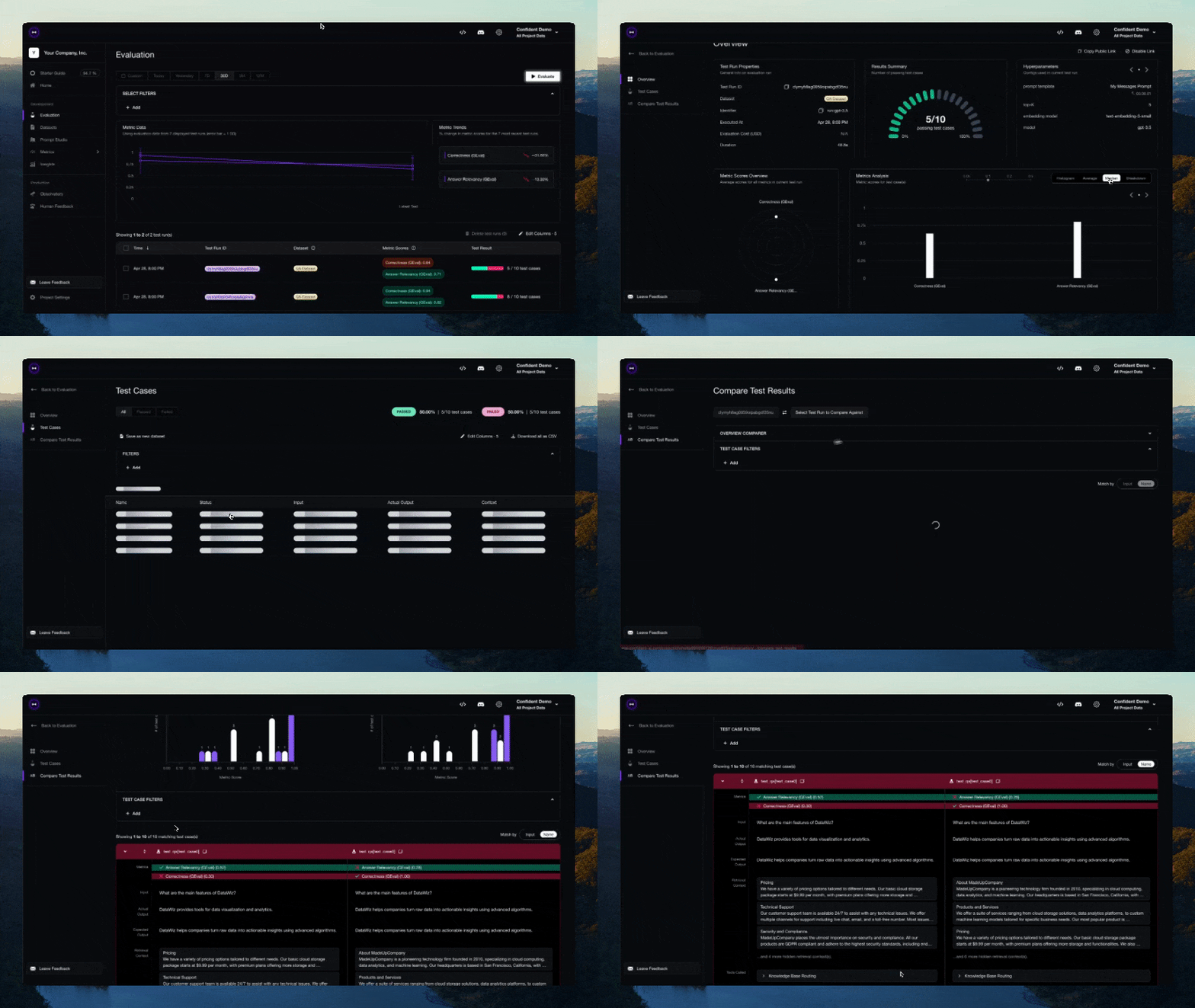
[!IMPORTANT] Want to compare iterations, share evaluation reports, and monitor your AI in production? Sign up for Confident AI, the enterprise AI evals and observability platform.
Want to talk LLM evaluation, need help picking metrics, or just to say hi? Come join our discord.
🔥 Metrics and Features
-
📐 Large variety of ready-to-use LLM eval metrics (all with explanations) powered by ANY LLM of your choice, statistical methods, or NLP models that run locally on your machine covering all use cases:
-
Custom, All-Purpose Metrics:
-
- Task Completion — evaluate whether an agent accomplished its goal
- Tool Correctness — check if the right tools were called with the right arguments
- Goal Accuracy — measure how accurately the agent achieved the intended goal
- Step Efficiency — evaluate whether the agent took unnecessary steps
- Plan Adherence — check if the agent followed the expected plan
- Plan Quality — evaluate the quality of the agent’s plan
- Tool Use — measure quality of tool usage
- Argument Correctness — validate tool call arguments
-
- Answer Relevancy — measure how relevant the RAG pipeline’s output is to the input
- Faithfulness — evaluate whether the RAG pipeline’s output factually aligns with the retrieval context
- Contextual Recall — measure how well the RAG pipeline’s retrieval context aligns with the expected output
- Contextual Precision — evaluate whether relevant nodes in the RAG pipeline’s retrieval context are ranked higher
- Contextual Relevancy — measure the overall relevance of the RAG pipeline’s retrieval context to the input
- RAGAS — average of answer relevancy, faithfulness, contextual precision, and contextual recall
-
- Knowledge Retention — evaluate whether the chatbot retains factual information throughout a conversation
- Conversation Completeness — measure whether the chatbot satisfies user needs throughout a conversation
- Turn Relevancy — evaluate whether the chatbot generates consistently relevant responses throughout a conversation
- Turn Faithfulness — check if the chatbot’s responses are factually grounded in retrieval context across turns
- Role Adherence — evaluate whether the chatbot adheres to its assigned role throughout a conversation
-
- MCP Task Completion — evaluate how effectively an MCP-based agent accomplishes a task
- MCP Use — measure how effectively an agent uses its available MCP servers
- Multi-Turn MCP Use — evaluate MCP server usage across conversation turns
-
- Text to Image — evaluate image generation quality based on semantic consistency and perceptual quality
- Image Editing — evaluate image editing quality based on semantic consistency and perceptual quality
- Image Coherence — measure how well images align with their accompanying text
- Image Helpfulness — evaluate how effectively images contribute to user comprehension of the text
- Image Reference — evaluate how accurately images are referred to or explained by accompanying text
-
- Hallucination — check whether the LLM generates factually correct information against provided context
- Summarization — evaluate whether summaries are factually correct and include necessary details
- Bias — detect gender, racial, or political bias in LLM outputs
- Toxicity — evaluate toxicity in LLM outputs
- JSON Correctness — check whether the output matches an expected JSON schema
- Prompt Alignment — measure whether the output aligns with instructions in the prompt template
-
-
🎯 Supports both end-to-end and component-level LLM evaluation.
-
🧩 Build your own custom metrics that are automatically integrated with DeepEval’s ecosystem.
-
🔮 Generate both single and multi-turn synthetic datasets for evaluation.
-
🔗 Integrates seamlessly with ANY CI/CD environment.
-
🧬 Optimize prompts automatically based on evaluation results.
-
🏆 Easily benchmark ANY LLM on popular LLM benchmarks in under 10 lines of code., including MMLU, HellaSwag, DROP, BIG-Bench Hard, TruthfulQA, HumanEval, GSM8K.
🔌 Integrations
DeepEval plugs into any LLM framework — OpenAI Agents, LangChain, CrewAI, and more. For enterprise teams standardizing evals and observability across the organization, Confident AI provides a native DeepEval integration.
Frameworks
- LangChain — evaluate LangChain applications with a callback handler
- LangGraph — evaluate LangGraph agents with a callback handler
- Pydantic AI — evaluate Pydantic AI agents with type-safe validation
- CrewAI — evaluate CrewAI multi-agent systems
- Anthropic — evaluate and trace Claude applications via a client wrapper
- AWS AgentCore — evaluate agents deployed on Amazon AgentCore
- Google ADK — evaluate Google ADK agents and multi-agent workflows
- AI SDK — evaluate AI SDK generations and tool-loop trajectories
- Mastra — evaluate Mastra agents and workflows with native tracing
- OpenAI — evaluate and trace OpenAI applications via a client wrapper
- OpenAI Agents — evaluate OpenAI Agents end-to-end in under a minute
- LlamaIndex — evaluate RAG applications built with LlamaIndex
☁️ Platform + Ecosystem
Confident AI is the enterprise AI evals and observability platform. It gives organizations one consistent standard across product teams, integrates natively with DeepEval, and remains model- and framework-agnostic.
- Product teams manage datasets, evaluate AI applications before launch, and monitor live traces with online evals and signals in production.
- Platform teams define one organization-wide quality standard and enforce it through governance and native red teaming.
- Don’t need a UI? Use Confident AI as your persistence layer to run evals, pull datasets, and inspect traces from Claude Code or Cursor through Confident AI’s MCP server.
🤖 Vibe-Coder QuickStart
Want your coding agent to add evals and fix failures for you? Install the DeepEval skill, point it at your agent, RAG pipeline, or chatbot, and ask it to generate a dataset, write the eval suite, run deepeval test run, and iterate on the failing metrics.
Start with the 5-minute vibe-coder guide.
🚀 Human QuickStart
Let’s pretend your LLM application is a RAG based customer support chatbot; here’s how DeepEval can help test what you’ve built.
Installation
Deepeval works with Python>=3.9+.
pip install -U deepevalCreate an account (highly recommended)
Using the deepeval platform will allow you to generate sharable testing reports on the cloud. It is free, takes no additional code to setup, and we highly recommend giving it a try.
To login, run:
deepeval loginFollow the instructions in the CLI to create an account, copy your API key, and paste it into the CLI. All test cases will automatically be logged (find more information on data privacy here).
Write your first test case
Create a test file:
touch test_chatbot.pyOpen test_chatbot.py and write your first test case to run an end-to-end evaluation using DeepEval, which treats your LLM app as a black-box:
import pytest
from deepeval import assert_test
from deepeval.metrics import GEval
from deepeval.test_case import LLMTestCase, SingleTurnParams

def test_case():
    correctness_metric = GEval(
        name="Correctness",
        criteria="Determine if the 'actual output' is correct based on the 'expected output'.",
        evaluation_params=[SingleTurnParams.ACTUAL_OUTPUT, SingleTurnParams.EXPECTED_OUTPUT],
        threshold=0.5
    )
    test_case = LLMTestCase(
        input="What if these shoes don't fit?",
        # Replace this with the actual output from your LLM application
        actual_output="You have 30 days to get a full refund at no extra cost.",
        expected_output="We offer a 30-day full refund at no extra costs.",
        retrieval_context=["All customers are eligible for a 30 day full refund at no extra costs."]
    )
    assert_test(test_case, [correctness_metric])
Set your OPENAI_API_KEY as an environment variable (you can also evaluate using your own custom model, for more details visit this part of our docs):
export OPENAI_API_KEY="..."And finally, run test_chatbot.py in the CLI:
deepeval test run test_chatbot.pyCongratulations! Your test case should have passed ✅ Let’s break down what happened.
- The variable
inputmimics a user input, andactual_outputis a placeholder for what your application’s supposed to output based on this input. - The variable
expected_outputrepresents the ideal answer for a giveninput, andGEvalis a research-backed metric provided bydeepevalfor you to evaluate your LLM outputs on any custom criteria with human-like accuracy. - In this example, the metric
criteriais correctness of theactual_outputbased on the providedexpected_output. - All metric scores range from 0 - 1, which the
threshold=0.5ultimately determines if your test has passed or not.
Read our documentation for more information!
Evals With Full Traceability
Use evals_iterator() to run the same dataset through your app, whether you instrument it manually or through one of DeepEval’s framework integrations. Because tracing captures the ordered sequence of model decisions, tool calls, and intermediate steps, you can run trajectory-based evaluations over the complete path your agent takes.
Here’s an example of manual instrumentation:
from deepeval.tracing import observe, update_current_span
from deepeval.test_case import LLMTestCase
from deepeval.metrics import TaskCompletionMetric

@observe()
def inner_component(input: str):
    output = "result"
    update_current_span(test_case=LLMTestCase(input=input, actual_output=output))
    return output

@observe()
def app(input: str):
    return inner_component(input)

# This metric evaluates the complete trajectory captured for this run.
for golden in dataset.evals_iterator(metrics=[TaskCompletionMetric()]):
    app(golden.input)
from deepeval.openai import OpenAI
from deepeval.tracing import trace
from deepeval.metrics import TaskCompletionMetric
client = OpenAI()
# This metric evaluates the complete trajectory captured for this run.
for golden in dataset.evals_iterator():
with trace(metrics=[TaskCompletionMetric()]):
client.chat.completions.create(
model="gpt-4o",
messages=[{"role": "user", "content": golden.input}],
)from agents import Runner
from deepeval.metrics import TaskCompletionMetric
# This metric evaluates the complete trajectory captured for this run.
for golden in dataset.evals_iterator(metrics=[TaskCompletionMetric()]):
Runner.run_sync(agent, golden.input)import { generateText } from "ai";
import { configureAiSdkTracing } from "deepeval/integrations/ai-sdk";
import { TaskCompletionMetric } from "deepeval/metrics";
const tracer = configureAiSdkTracing({ name: "my-agent" });
const ask = (input: string) =>
generateText({
model,
prompt: input,
experimental_telemetry: { isEnabled: true, tracer },
});
// This metric evaluates the complete trajectory captured for this run.
for await (const golden of dataset.evalsIterator({
metrics: [new TaskCompletionMetric()],
})) {
await ask(golden.input);
}import { Mastra } from "@mastra/core/mastra";
import { Observability } from "@mastra/observability";
import { DeepEvalExporter } from "deepeval/integrations/mastra";
import { TaskCompletionMetric } from "deepeval/metrics";
const mastra = new Mastra({
agents: { agent },
observability: new Observability({
configs: {
deepeval: { exporters: [new DeepEvalExporter()] },
},
}),
});
// This metric evaluates the complete trajectory captured for this run.
for await (const golden of dataset.evalsIterator({
metrics: [new TaskCompletionMetric()],
})) {
await mastra.getAgent("agent").generate(golden.input);
}from deepeval.anthropic import Anthropic
from deepeval.tracing import trace
from deepeval.metrics import TaskCompletionMetric
client = Anthropic()
# This metric evaluates the complete trajectory captured for this run.
for golden in dataset.evals_iterator():
with trace(metrics=[TaskCompletionMetric()]):
client.messages.create(
model="claude-sonnet-4-5",
max_tokens=1024,
messages=[{"role": "user", "content": golden.input}],
)from deepeval.integrations.langchain import CallbackHandler
from deepeval.metrics import TaskCompletionMetric
# This metric evaluates the complete trajectory captured for this run.
for golden in dataset.evals_iterator():
llm.invoke(
golden.input,
config={"callbacks": [CallbackHandler(metrics=[TaskCompletionMetric()])]},
)from deepeval.integrations.langchain import CallbackHandler
from deepeval.metrics import TaskCompletionMetric
# This metric evaluates the complete trajectory captured for this run.
for golden in dataset.evals_iterator():
agent.invoke(
{"messages": [{"role": "user", "content": golden.input}]},
config={"callbacks": [CallbackHandler(metrics=[TaskCompletionMetric()])]},
)from deepeval.metrics import TaskCompletionMetric
# This metric evaluates the complete trajectory captured for this run.
for golden in dataset.evals_iterator(metrics=[TaskCompletionMetric()]):
agent.run_sync(golden.input)from deepeval.integrations.crewai import instrument_crewai
from deepeval.metrics import TaskCompletionMetric
instrument_crewai()
# This metric evaluates the complete trajectory captured for this run.
for golden in dataset.evals_iterator(metrics=[TaskCompletionMetric()]):
crew.kickoff({"input": golden.input})from deepeval.integrations.agentcore import instrument_agentcore
from deepeval.metrics import TaskCompletionMetric
instrument_agentcore()
# This metric evaluates the complete trajectory captured for this run.
for golden in dataset.evals_iterator(metrics=[TaskCompletionMetric()]):
invoke({"prompt": golden.input})import asyncio
from deepeval.evaluate.configs import AsyncConfig
from deepeval.metrics import TaskCompletionMetricThis README has been shortened. The full version is on GitHub. Read the original ↗
Other options in Observability & Evals
 LiteLLMModel Serving
The library half lets one function call reach any supported provider in the OpenAI request and response shape. The gateway half is the reason most teams arrive: a self-hosted server that issues virtual keys with their own budgets and rate limits, falls back when a provider fails, spreads load across deployments, and records cost per key. The price is an extra component in the request path that you now operate, and code under the enterprise directory is not covered by the MIT grant.
 ClickHouseObservability
A column-oriented engine for append-heavy, high-cardinality data, which is the shape agent telemetry takes: one row per model call, filtered later by model, cost or error. Langfuse moved its traces here from Postgres in December 2024 and ClickHouse acquired the project in January 2026, so a self-hosted observability stack increasingly means running this underneath. It is the wrong choice for anything transactional — updates and deletes rewrite whole column parts rather than edit rows — so treat it as where agent runs land, not as the database your application writes state to.
 LangfuseObservability
Records what an agent actually did — every call, tool invocation and cost — and turns those traces into evaluation datasets. The managed service runs the same codebase you can self-host with Docker Compose, so migrating in either direction stays cheap. Some enterprise features sit outside the MIT core; check which tier you need before committing.