
opencode
A terminal coding agent whose agents, models and permissions are all configuration, not code
What is opencode?
The distinguishing idea is that everything is declared rather than hard-wired: you define named agents in JSON or a markdown file, give each one its own model and its own per-tool permissions — allow, ask or deny for reading, editing and running commands — and switch between them with a keystroke. Two built-in primary agents ship this way, one with full access and one that asks before editing or running anything. It is MIT and provider-agnostic, but it moves fast and it recently changed hands, so old links and pinned versions go stale quickly.
What can you do with opencode?
- Plan before it touches anything — The built-in plan agent is the same agent with edits and shell commands set to ask rather than allow, so you can work through an approach first and switch to the build agent with Tab once it looks right.
- Define an agent in a markdown file — A file with a short front matter block — a description, whether it is a primary agent or a subagent — plus a system prompt is a complete agent definition, kept globally or committed alongside the project.
- Set permissions per tool, per agent — Reading, editing, running commands and searching each take allow, ask or deny independently, which is how a review agent can be made structurally incapable of writing rather than merely instructed not to.
- Hand narrow jobs to a subagent — Subagents are invoked by mention from within a session: a read-only one for searching the codebase, another for reading external documentation and dependencies, each on its own model.
- Give it the same code intelligence you use — Language servers supply types, definitions and diagnostics to the agent, and MCP servers add outside tools, so its view of the project is not limited to reading files as text.
Before you choose opencode
- The repository changed owner and now lives under a different organisation; older links, forks and documentation still pointing at the previous location are common and resolve by redirect rather than by being correct.
- Releases are frequent and configuration keys have moved between versions, so a setup copied from a blog post is more likely to be stale here than with slower-moving agents.
Star history
21 Aug to 28 Aug · +2.3k
Frequently asked questions
Is opencode free for commercial use?
opencode is released under the MIT licence — OSI-approved open source, which permits commercial use.
How can opencode be deployed?
opencode is available as Runs locally.
Documentation
Reproduced from the anomalyco/opencode README, published under MIT. Read the original ↗
Installation
# YOLO
curl -fsSL https://opencode.ai/install | bash

# Package managers
npm i -g opencode-ai@latest        # or bun/pnpm/yarn
scoop install opencode             # Windows
choco install opencode             # Windows
brew install anomalyco/tap/opencode # macOS and Linux (recommended, always up to date)
brew install opencode              # macOS and Linux (official brew formula, updated less)
sudo pacman -S opencode            # Arch Linux (Stable)
paru -S opencode-bin               # Arch Linux (Latest from AUR)
mise use -g opencode               # Any OS
nix run nixpkgs#opencode           # or github:anomalyco/opencode for latest dev branch
[!TIP] Remove versions older than 0.1.x before installing.
Desktop App (BETA)
OpenCode is also available as a desktop application. Download directly from the releases page or opencode.ai/download.
| Platform | Download |
|---|---|
| macOS (Apple Silicon) | opencode-desktop-mac-arm64.dmg |
| macOS (Intel) | opencode-desktop-mac-x64.dmg |
| Windows | opencode-desktop-windows-x64.exe |
| Linux | .deb, .rpm, or .AppImage |
# macOS (Homebrew)
brew install --cask opencode-desktop
# Windows (Scoop)
scoop bucket add extras; scoop install extras/opencode-desktop
Installation Directory
The install script respects the following priority order for the installation path:
$OPENCODE_INSTALL_DIR- Custom installation directory$XDG_BIN_DIR- XDG Base Directory Specification compliant path$HOME/bin- Standard user binary directory (if it exists or can be created)$HOME/.opencode/bin- Default fallback
# Examples
OPENCODE_INSTALL_DIR=/usr/local/bin curl -fsSL https://opencode.ai/install | bash
XDG_BIN_DIR=$HOME/.local/bin curl -fsSL https://opencode.ai/install | bash
Agents
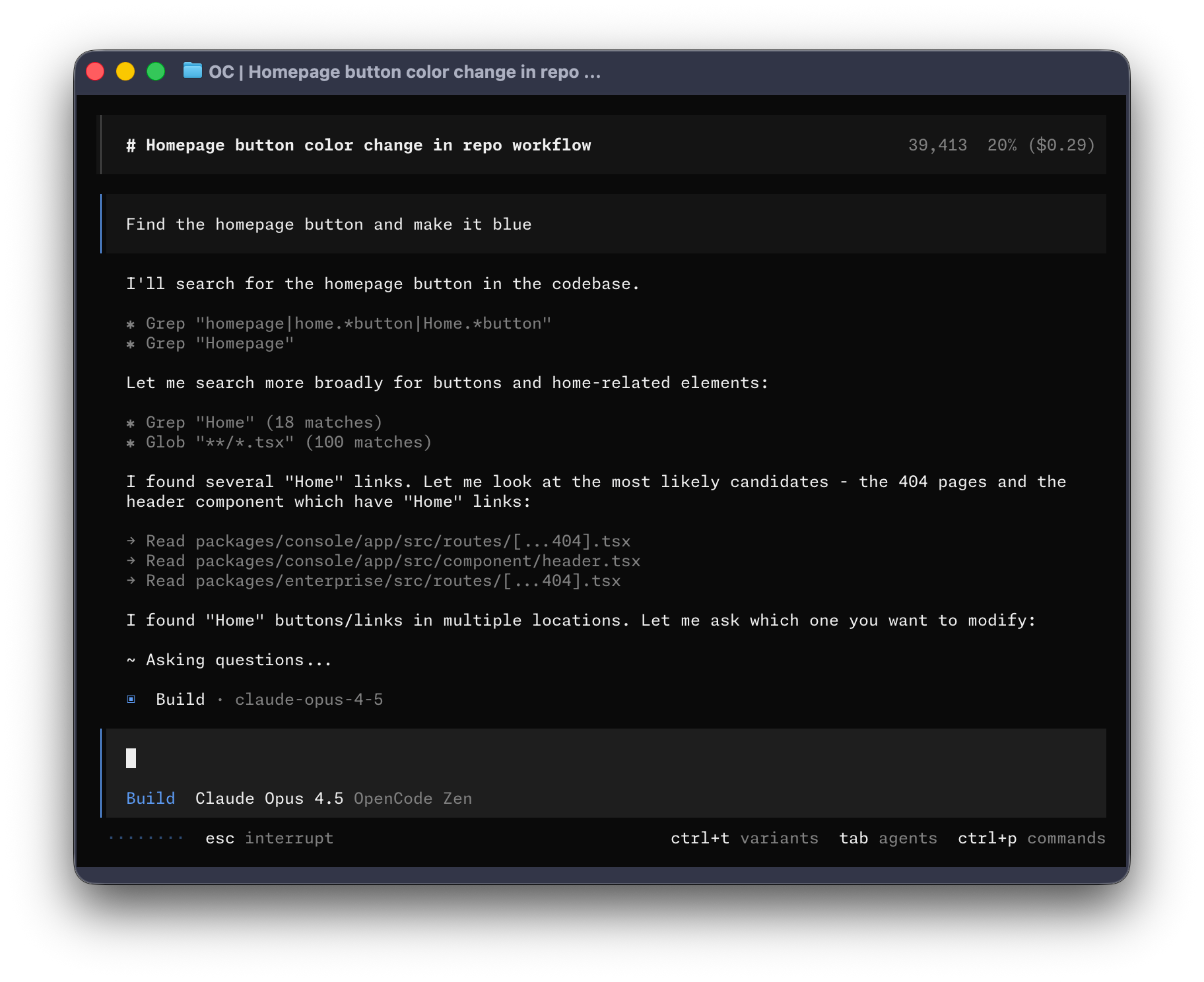
OpenCode includes two built-in agents you can switch between with the Tab key.
- build - Default, full-access agent for development work
- plan - Read-only agent for analysis and code exploration
- Denies file edits by default
- Asks permission before running bash commands
- Ideal for exploring unfamiliar codebases or planning changes
Also included is a general subagent for complex searches and multistep tasks.
This is used internally and can be invoked using @general in messages.
Learn more about agents.
Documentation
For more info on how to configure OpenCode, head over to our docs.
Building on OpenCode
If you are working on a project that’s related to OpenCode and is using “opencode” as part of its name, for example “opencode-dashboard” or “opencode-mobile”, please add a note to your README to clarify that it is not built by the OpenCode team and is not affiliated with us in any way.
Other options in Coding Agents
 Codex CLICoding Agents
It works the way the other terminal agents do — read the repository, propose changes, run commands — but the boundary it enforces is unusual: on macOS and Linux it uses operating-system sandboxing to restrict which files and commands the agent can reach, so the limit does not depend on the model choosing to respect it. Sign-in runs through a ChatGPT plan or an OpenAI API key, which is the trade: the code is Apache-2.0, the model behind it is not the open part.
 PonytailCoding Agents
Ask an agent for a date picker and you can get a dependency, a wrapper component, a stylesheet and a conversation about time zones, when the browser has had `<input type="date">` for years. Ponytail is a single skill aimed at that habit: it pushes the agent towards the smallest thing that works, and towards not writing anything when the platform already provides it. What makes it worth a look rather than a joke is that the maintainers measured it — twelve real tasks on a real repository, with and without the skill — and published the method alongside the numbers, including a note that an earlier, more flattering figure was the per-task ceiling rather than the average.
 gemini-cliCoding Agents
Google's own agent for the terminal: it reads a repository, edits files, runs shell commands, and can ground an answer in a live Google Search without extra setup. A read-only plan mode drafts the work before anything is written, a policy file settles in advance which tools may run, and one extension can install MCP servers, commands, subagents, skills and hooks together. It talks only to Gemini models, so it is a poor fit if you expect to switch providers or work offline — and since 18 June 2026 a personal Google sign-in no longer reaches it, leaving an API key, Vertex AI, or a Code Assist Standard or Enterprise licence.