
gemini-cli
Google純正のターミナル向けコーディングエージェント。接続先はGeminiモデルに限られ、個人アカウントでのGoogleログインは終了しました
gemini-cliとは
ターミナルの1つのプロンプトから、リポジトリを読み、ファイルを編集し、シェルコマンドを実行し、Google検索で最新の情報を確かめるところまでを任せられます。書き込みを禁じたプランモードで下調べと計画を先に済ませ、TOML形式のポリシーでどのツールを許すかを事前に決め、拡張機能でMCPサーバーやスキル、フックをまとめて配れます。ただし接続先はGeminiモデルに限られるため、モデルの乗り換えやオフラインでの利用を前提にするなら向きません。さらに2026年6月18日以降は個人アカウントでのGoogleログインが使えなくなり、APIキー、Vertex AI、Code AssistのStandardまたはEnterpriseライセンスのいずれかを用意する必要があります。
gemini-cliで何ができますか?
- 読み取り専用のまま下調べと計画をさせる — プランモードは書き込みを禁じた状態で、許されるのは計画をMarkdownで書き出すことだけです。Google検索はこのモードでも使え、Webページの取得も確認を挟んで実行できるため、最新の情報を踏まえた計画になります。
Ctrl+Xで計画を手元のエディタに開き、手順を並べ替えたり疑問をコメントで書き添えたりすると、その内容を読んで練り直します。 - ツールごとの可否をあらかじめ決める — ポリシーエンジンに
allow、deny、ask_userの規則を書くと、たとえばrm -rfで始まるシェルコマンドだけを止められます。規則には優先度があり、管理者が配る階層は利用者自身の設定より上に置かれるため、組織で決めた禁止事項を手元で緩めることはできません。 - プロジェクト固有の指示をGEMINI.mdに置く — ホームディレクトリの1つ、作業中のフォルダとその親、さらにツールがディレクトリに触れた時点で見つかったものまでが連結され、毎回のプロンプトに添えて送られます。実際に何が渡っているかは
/memory showで確認でき、@./style-guide.mdのように書けば別のファイルも取り込めます。作業範囲を広げるときは--include-directories ../lib,../docsを付けて起動します。 - 失敗したところまで戻す —
/rewindは過去のやり取りを一覧にし、会話だけを戻すか、ファイルの変更だけを戻すか、その両方かを選ばせます。設定で有効にするチェックポイント機能は編集のたびに専用のGitリポジトリへ退避し、/restoreで戻したときには、そのとき実行しようとしていたツール呼び出しをもう一度提示します。 - 拡張機能で環境ごと配る —
gemini extensions installにGitHubのURLを渡すと、MCPサーバー、独自コマンド、サブエージェント、スキル、フック、テーマまでを含んだ一式が入ります。設定ファイルを何か所も書き換えずに済むため、チームで同じ構成をそろえるときや、公開ギャラリーの既製品を試すときに効いてきます。 - 対話なしでCIから回す —
gemini -p "…" --output-format jsonは応答とトークン数、エラーを1つのオブジェクトで返し、stream-jsonにするとtool_useやtool_resultといった出来事が1行ずつ流れてきます。終了コードは入力の誤りが42、ターン数の上限超過が53と分かれているため、失敗の理由ごとに処理を変えられます。GoogleがGitHub Action版も公開しており、PRのレビューやIssueの仕分けを同じ実行ファイルに任せられます。
gemini-cliを選ぶ前に
スター推移
8月17日〜8月28日 · +190
よくある質問
gemini-cliは商用利用できますか?
gemini-cliはApache-2.0ライセンスで公開されています。OSI承認のオープンソースライセンスで、商用利用が認められています。
gemini-cliはどの形で使えますか?
gemini-cliはローカル実行の形で利用できます。
ドキュメント
google-gemini/gemini-cli のREADMEより転載(Apache-2.0)。 原文を読む ↗
Gemini CLI



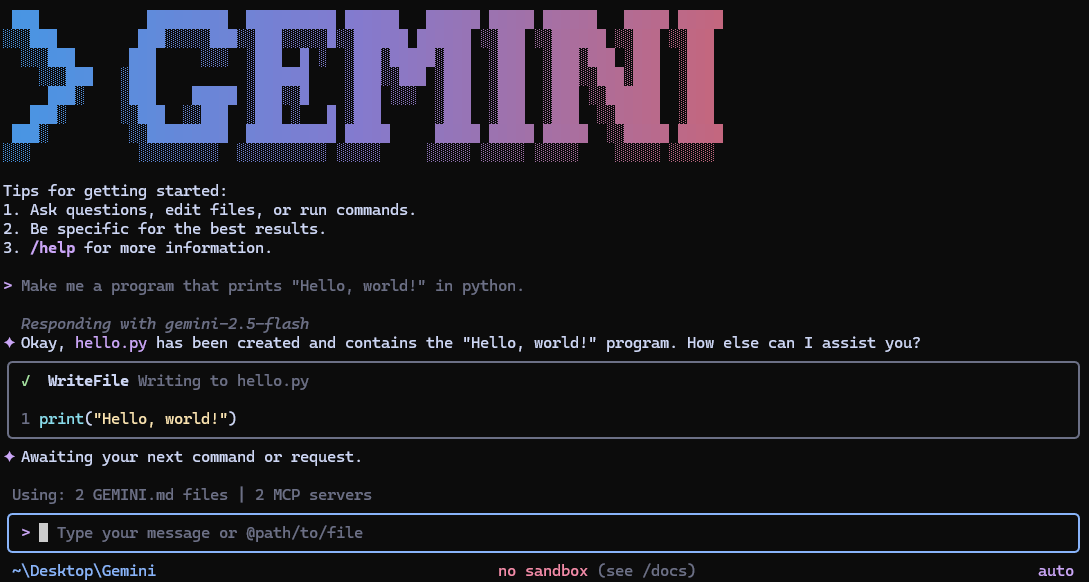
Gemini CLI is an open-source AI agent that brings the power of Gemini directly into your terminal. It provides lightweight access to Gemini, giving you the most direct path from your prompt to our model.
Learn all about Gemini CLI in our documentation.
🚀 Why Gemini CLI?
- 🎯 Free tier: 60 requests/min and 1,000 requests/day with personal Google account.
- 🧠 Powerful Gemini 3 models: Access to improved reasoning and 1M token context window.
- 🔧 Built-in tools: Google Search grounding, file operations, shell commands, web fetching.
- 🔌 Extensible: MCP (Model Context Protocol) support for custom integrations.
- 💻 Terminal-first: Designed for developers who live in the command line.
- 🛡️ Open source: Apache 2.0 licensed.
📦 Installation
See Gemini CLI installation, execution, and releases for recommended system specifications and a detailed installation guide.
Quick Install
Run instantly with npx
# Using npx (no installation required)
npx @google/gemini-cli
Install globally with npm
npm install -g @google/gemini-cliInstall globally with Homebrew (macOS/Linux)
brew install gemini-cliInstall globally with MacPorts (macOS)
sudo port install gemini-cliInstall with Anaconda (for restricted environments)
# Create and activate a new environment
conda create -y -n gemini_env -c conda-forge nodejs
conda activate gemini_env

# Install Gemini CLI globally via npm (inside the environment)
npm install -g @google/gemini-cli
Release Channels
See Releases for more details.
Preview
New preview releases will be published each week at UTC 23:59 on Tuesdays. These
releases will not have been fully vetted and may contain regressions or other
outstanding issues. Please help us test and install with preview tag.
npm install -g @google/gemini-cli@previewStable
- New stable releases will be published each week at UTC 20:00 on Tuesdays, this
will be the full promotion of last week’s
previewrelease + any bug fixes and validations. Uselatesttag.
npm install -g @google/gemini-cli@latestNightly
- New releases will be published each day at UTC 00:00. This will be all changes
from the main branch as represented at time of release. It should be assumed
there are pending validations and issues. Use
nightlytag.
npm install -g @google/gemini-cli@nightly📋 Key Features
Code Understanding & Generation
- Query and edit large codebases
- Generate new apps from PDFs, images, or sketches using multimodal capabilities
- Debug issues and troubleshoot with natural language
Automation & Integration
- Automate operational tasks like querying pull requests or handling complex rebases
- Use MCP servers to connect new capabilities, including media generation with Imagen, Veo or Lyria
- Run non-interactively in scripts for workflow automation
Advanced Capabilities
- Ground your queries with built-in Google Search for real-time information
- Conversation checkpointing to save and resume complex sessions
- Custom context files (GEMINI.md) to tailor behavior for your projects
GitHub Integration
Integrate Gemini CLI directly into your GitHub workflows with Gemini CLI GitHub Action:
- Pull Request Reviews: Automated code review with contextual feedback and suggestions
- Issue Triage: Automated labeling and prioritization of GitHub issues based on content analysis
- On-demand Assistance: Mention
@gemini-cliin issues and pull requests for help with debugging, explanations, or task delegation - Custom Workflows: Build automated, scheduled and on-demand workflows tailored to your team’s needs
🔐 Authentication Options
Choose the authentication method that best fits your needs:
Option 1: Sign in with Google (OAuth login using your Google Account)
✨ Best for: Individual developers as well as anyone who has a Gemini Code Assist License. (see quota limits and terms of service for details)
Benefits:
- Free tier: 60 requests/min and 1,000 requests/day
- Gemini 3 models with 1M token context window
- No API key management - just sign in with your Google account
- Automatic updates to latest models
Start Gemini CLI, then choose Sign in with Google and follow the browser authentication flow when prompted
geminiIf you are using a paid Code Assist License from your organization, remember to set the Google Cloud Project
# Set your Google Cloud Project
export GOOGLE_CLOUD_PROJECT="YOUR_PROJECT_ID"
gemini
Option 2: Gemini API Key
✨ Best for: Developers who need specific model control or paid tier access
Benefits:
- Free tier: 1000 requests/day with Gemini 3 (mix of flash and pro)
- Model selection: Choose specific Gemini models
- Usage-based billing: Upgrade for higher limits when needed
# Get your key from https://aistudio.google.com/apikey
export GEMINI_API_KEY="YOUR_API_KEY"
gemini
Option 3: Vertex AI
✨ Best for: Enterprise teams and production workloads
Benefits:
- Enterprise features: Advanced security and compliance
- Scalable: Higher rate limits with billing account
- Integration: Works with existing Google Cloud infrastructure
# Get your key from Google Cloud Console
export GOOGLE_API_KEY="YOUR_API_KEY"
export GOOGLE_GENAI_USE_VERTEXAI=true
gemini
For Google Workspace accounts and other authentication methods, see the authentication guide.
🚀 Getting Started
Basic Usage
Start in current directory
geminiInclude multiple directories
gemini --include-directories ../lib,../docsUse specific model
gemini -m gemini-2.5-flashNon-interactive mode for scripts
Get a simple text response:
gemini -p "Explain the architecture of this codebase"For more advanced scripting, including how to parse JSON and handle errors, use
the --output-format json flag to get structured output:
gemini -p "Explain the architecture of this codebase" --output-format jsonFor real-time event streaming (useful for monitoring long-running operations),
use --output-format stream-json to get newline-delimited JSON events:
gemini -p "Run tests and deploy" --output-format stream-jsonQuick Examples
Start a new project
cd new-project/
gemini
> Write me a Discord bot that answers questions using a FAQ.md file I will provide
Analyze existing code
git clone https://github.com/google-gemini/gemini-cli
cd gemini-cli
gemini
> Give me a summary of all of the changes that went in yesterday
📚 Documentation
Getting Started
- Quickstart Guide - Get up and running quickly.
- Authentication Setup - Detailed auth configuration.
- Configuration Guide - Settings and customization.
- Keyboard Shortcuts - Productivity tips.
Core Features
- Commands Reference -
All slash commands (
/help,/chat, etc). - Custom Commands - Create your own reusable commands.
- Context Files (GEMINI.md) - Provide persistent context to Gemini CLI.
- Checkpointing - Save and resume conversations.
- Token Caching - Optimize token usage.
Tools & Extensions
- Built-in Tools Overview
- MCP Server Integration - Extend with custom tools.
- Custom Extensions - Build and share your own commands.
Advanced Topics
- Headless Mode (Scripting) - Use Gemini CLI in automated workflows.
- IDE Integration - VS Code companion.
- Sandboxing & Security - Safe execution environments.
- Trusted Folders - Control execution policies by folder.
- Enterprise Guide - Deploy and manage in a corporate environment.
- Telemetry & Monitoring - Usage tracking.
- Tools reference - Built-in tools overview.
- Local development - Local development tooling.
Troubleshooting & Support
- Troubleshooting Guide - Common issues and solutions.
- FAQ - Frequently asked questions.
- Use
/bugcommand to report issues directly from the CLI.
Using MCP Servers
Configure MCP servers in ~/.gemini/settings.json to extend Gemini CLI with
custom tools:
> @github List my open pull requests
> @slack Send a summary of today's commits to #dev channel
> @database Run a query to find inactive users
See the MCP Server Integration guide for setup instructions.
🤝 Contributing
We welcome contributions! Gemini CLI is fully open source (Apache 2.0), and we encourage the community to:
- Report bugs and suggest features.
- Improve documentation.
- Submit code improvements.
- Share your MCP servers and extensions.
See our Contributing Guide for development setup, coding standards, and how to submit pull requests.
Check our Official Roadmap for planned features and priorities.
📖 Resources
- Free Course - Learn the basics.
- Official Roadmap - See what’s coming next.
- Changelog - See recent notable updates.
- NPM Package - Package registry.
- GitHub Issues - Report bugs or request features.
- Security Advisories - Security updates.
Uninstall
See the Uninstall Guide for removal instructions.
📄 Legal
- License: Apache License 2.0
- Terms of Service: Terms & Privacy
- Security: Security Policy
コーディングエージェントの他の選択肢
 opencodeコーディングエージェント
特徴は、何もかもが埋め込みではなく宣言である点です。名前付きのエージェントをJSONかMarkdownで定義し、それぞれに使うモデルと、ツールごとの権限を与えます。読み取り・編集・コマンド実行のそれぞれについて、許可・確認・拒否のいずれかを選べます。切り替えはキー1つです。標準でも、全権限を持つものと、編集や実行の前に必ず確認するものの2種類が同じ仕組みで用意されています。MITでプロバイダにも依存しませんが、変化が速いうえ最近リポジトリの所有者が変わったため、古いリンクや固定したバージョンはすぐ古びます。
 Codex CLIコーディングエージェント
リポジトリを読み、変更を提案し、コマンドを実行するという動き自体は他のターミナル型と同じですが、境界の引き方が特徴的です。macOSとLinuxではOSのサンドボックス機構を使い、触れるファイルと実行できるコマンドを制限します。制限がモデルの善意に依存しない、という点が違います。サインインはChatGPTのプランかOpenAIのAPIキーを経由します。コードはApache-2.0でも、背後のモデルは開かれた部分ではない、というのが取引条件です。
 Ponytailコーディングエージェント
日付の入力欄を頼んだだけで、依存パッケージが入り、ラッパーのコンポーネントができ、スタイルシートが増え、タイムゾーンの議論が始まることがあります。ブラウザには何年も前から専用の入力欄があるのにです。Ponytailはその癖に狙いを定めた1つのスキルで、動く範囲で最も小さい実装へ、そして環境が既に備えているものは書かない方向へエージェントを押します。冗談で終わらないのは、開発元が実際に測っている点です。実在のリポジトリで12件の作業を、スキルの有無で比較し、数値と一緒に測定方法も公開しています。以前のより見栄えのする数値は平均ではなく最良の場合だった、という訂正まで書かれています。